
From the field · Organic vegetable, flower and herb seeds
Seeds grown, packed and shipped from one farm

Arnaud DarsonvalManaging director, La Ferme de Sainte-Marthe
On its eleven-hectare site in Anjou, La Ferme de Sainte-Marthe grows, packs and ships organic seeds across a catalog of more than 1,200 varieties. It runs inventory, purchasing and shipping in myFulfillment, which keeps pace with the season without slowing down.
La Ferme de Sainte-Marthe has produced and sold organic vegetable, flower and herb seeds since 1974. The team grows, harvests, sorts, dries and packs the seeds. Some heirloom varieties sell in small numbers, but the farm keeps them in the catalog to preserve them.
Choosing BMS · Before signing
Equipping the warehouse without a long rollout
The farm does everything itself, from growing to shipping. When it had to change software, it found heavyweight systems on the market that would take a long time to implement. With no time for that, the team turned to a lighter tool.
“myFulfillment gave us solid control over our inventory, our shipping in waves and our purchasing.”
myFulfillment connects to Shopify, where the website’s orders come in. Arnaud’s verdict: no regrets about the choice, and the teams have taken to the tool.
The scope that made the difference
The product journey
From growing tunnel to shipment tracking
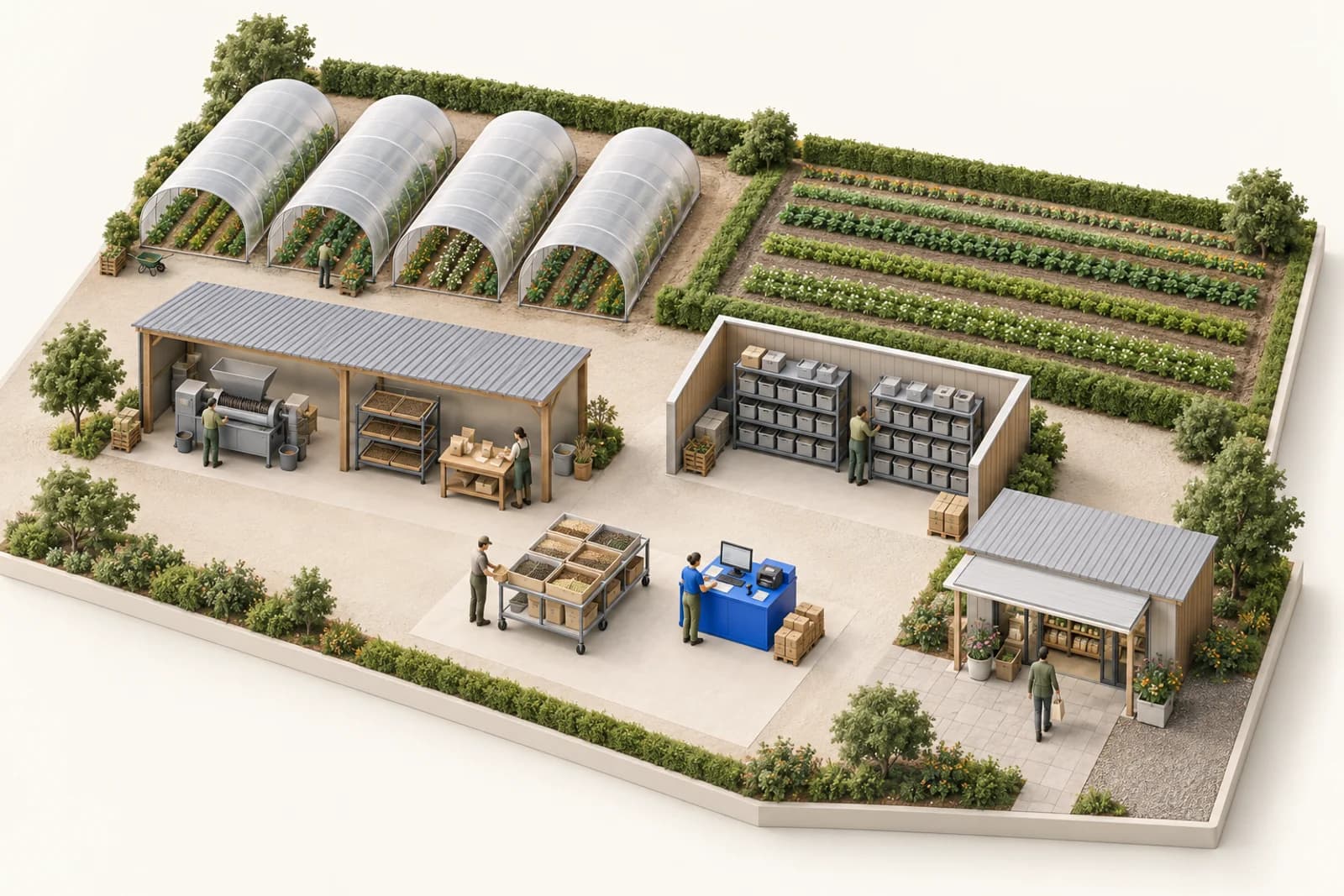
In myFulfillment, plants move from production stock to sales stock through a transfer. Orders are then picked in waves, each in its own bin, and every seed packet is scanned before the shipping label prints.
01 / Production and inventory
From the growing tunnels to sales stock
Production warehouse
Is the plant well rooted and ready to ship?
The operator checks the plant
Create the transfer
Keep it in production
Wait, then check again
Sales warehouse
- 01
Available to sell
The farm also grows the plants it sells. In myFulfillment, the growing tunnels are a separate warehouse: a plant only joins sales stock once it has been transferred.
Every Monday morning, a stock count on a handheld updates the inventory: plants ready to sell, plants still rooting, and the ones that didn’t make it.
See Arnaud among the plants
02 / Waves
Build the waves
Seed-only orders
Small cart
Orders with other products
Box and void fill
A rule groups them into a dedicated wave.
The rule flags them: their packing is finished after the check.
“We work in waves and process orders eight at a time.”
The farm has set its own wave rules: it picks in batches, at the pace it has chosen, and myFulfillment groups orders by what they contain.
Seeds usually take up little room, so a wave of seed-only orders is picked with a small cart, along an optimized pick path. At packing, these orders often ship in an envelope with no void fill.
See the small cart at work
03 / Picking
In the picking aisles
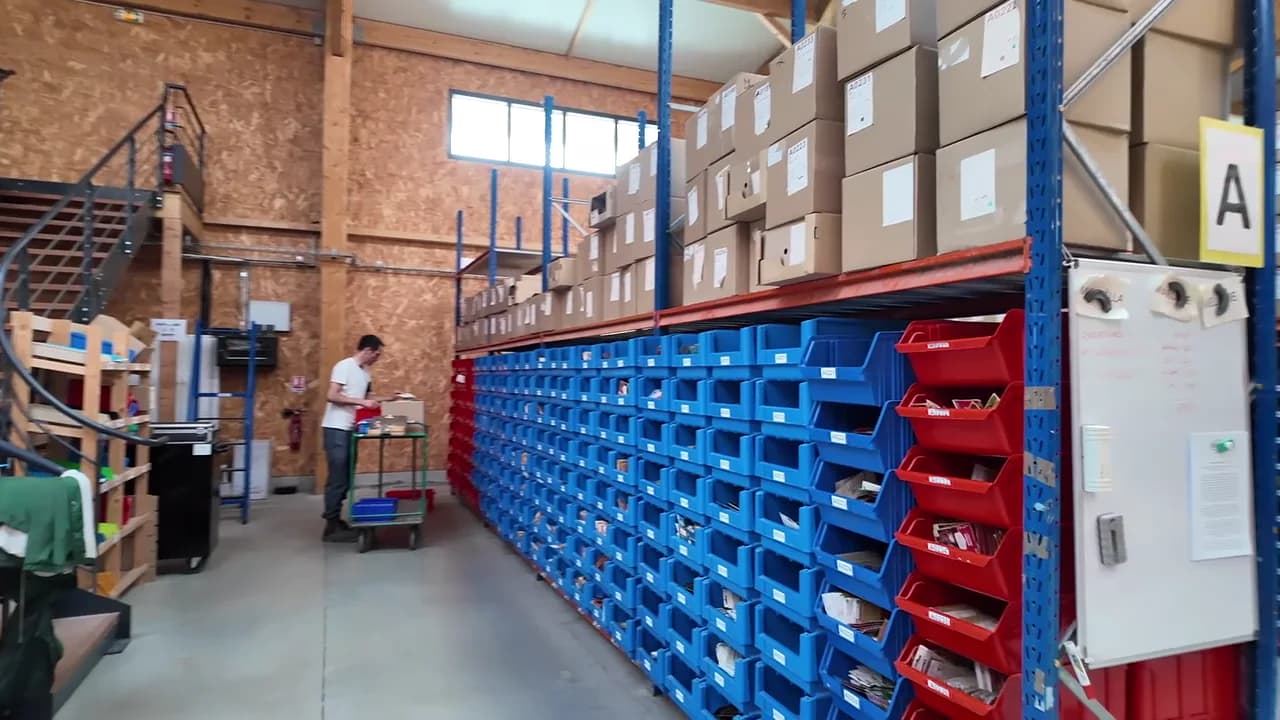
01 Open the route
The operator selects the wave. The pick list or the handheld gives the pick path.
02 Go to the location
The pick list or the handheld shows where the next SKU is. The operator goes there and picks the required quantity.
03 Drop it in the order’s bin
Each bin on the cart is assigned to one order; the operator drops the packet into it.
Everything in the warehouse is numbered, down to the locations (A32, A53, A98…). A wave is picked along a single pick path, and the order bins stay on the cart until they reach the checking station.
Many pick lists are still printed, but the team has started moving to handhelds.
See Arnaud move through the aisles
04 / Checking and tracking
At the checking station
Scan the packets
myFulfillment checks the items in the bin
Confirm the order
The operator completes the check
- 01
Print the label
Printing starts automatically on confirmation
- 02
Send the tracking number
It goes back to the farm’s order system, which passes it on to the customer
For a large order collected in one bin, the operator checks each item as it’s picked. On a cart holding several orders, each bin is still checked separately at the station to catch any mistakes.
See the checking station at work
With BMS · Day to day
Keeping pace with the season
The business is highly seasonal: orders peak in February, March and April.
“It fully handles my seasonal needs and my volumes, which really do vary a lot.”
On the support side, a problem takes one email, and it is "picked up right away" by the Boostmyshop teams. New features come with training, and a full workday went into seeing how far the team could take the tool.
Highly variable volumes
“It’s not the part of our setup that gives me the most trouble. In fact, it’s the one that takes work off my plate: it meets my need to ship fast, keep tight control of my inventory and run our checks.”
Before / After · The team’s work
What changed for the team
The team picked large orders, then checked them separately, and the check took as long as the pick.
The whole order goes into one bin: the team checks each item as it’s picked and never has to go back to it.
The check now happens during the pick.
On paper, every change from the sales team means digging through the pick lists to find the right sheet.
On the handheld, the order and the pick route update right away.
The picker always works from the current order.
What this example shows
On a large order, checking no longer doubles the picking time; on the handheld, an order change no longer involves paper.

Your turn
Where does your picking slow down?
Take the last order that needed a second pass, or the SKU nobody could find, and follow it step by step: receiving, putaway, wave, check, shipping.
That one case gives the Boostmyshop team a better place to start than a feature list.
Thanks to Arnaud Darsonval and the team at La Ferme de Sainte-Marthe for showing us around the fields and the warehouse.